TraptureIQ — Your Google ADK Agent Control Plane
Welcome to the TraptureIQ documentation — the operations manual for your Google ADK Agent Control Plane. Whether you're a first-time user or an experienced admin, this guide walks you through every feature of the platform step by step.
What is TraptureIQ?
TraptureIQ is a zero-code Security, Observability & Governance platform for AI agents built with Google's Agent Development Kit (ADK). It gives you a single control plane to chat with, monitor, secure, evaluate, and cost-control every Google ADK agent your team runs — without writing any additional code.
Observability and cost control for your Google ADK agents. A unified ADK UI for Google AI agents, with AI agent observability, security firewalls, and evaluations built in.
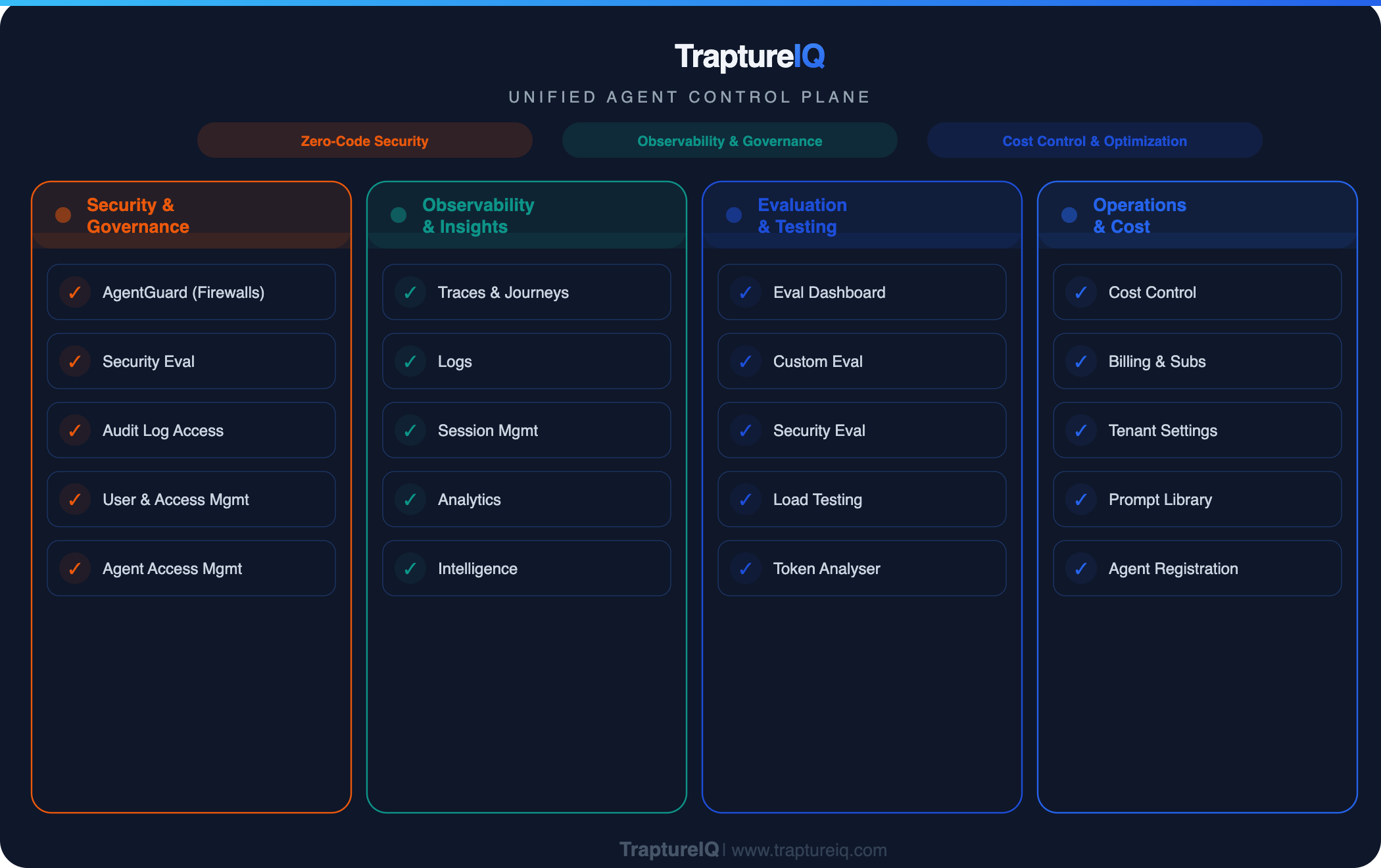
The Problem TraptureIQ Solves
When you build AI agents, you typically get a powerful backend API — but you're left to build your own:
- Chat interface for users to talk to your agents
- Security firewalls to prevent data leaks and prompt injection
- Monitoring dashboards to track performance and costs
- Evaluation tools to test quality and safety
- Access controls to manage who can use which agents
TraptureIQ provides all of this out of the box, so you can focus on building great agents instead of building infrastructure around them.
Core Features at a Glance
| Feature | What It Does | Why It Matters |
|---|---|---|
| Unified Chat Interface | One consistent, enterprise-grade conversation UI for every agent | Your team gets a single place to interact with all agents, regardless of how they were built |
| AgentGuard (Firewalls) | Real-time prompt and response sanitization | Prevents sensitive data leaks, blocks jailbreak attempts, and ensures safe AI output |
| Continuous Evaluation | Custom, security, and load testing | Measure agent quality, test for vulnerabilities, and validate performance under load |
| Deep Observability | Detailed traces, user journeys, session history, and logs | Debug agent behavior, audit conversations, and understand exactly what happened at every step |
| Cost & Token Engine | Track token usage and estimated costs across all agents | Know exactly how much your AI operations cost, broken down by agent, user, and session |
| MCP Debug | Test and debug MCP integrations with 18 Google Cloud servers | Validate MCP tool connections before deploying to production |
| Prompts Management | Version-controlled prompt library with AI-powered analysis | Store, version, and improve your system prompts with built-in quality scoring |
| Section-Level RBAC | Granular access control with 13 configurable sections | Give each team member exactly the access they need — no more, no less |
Platform Overview
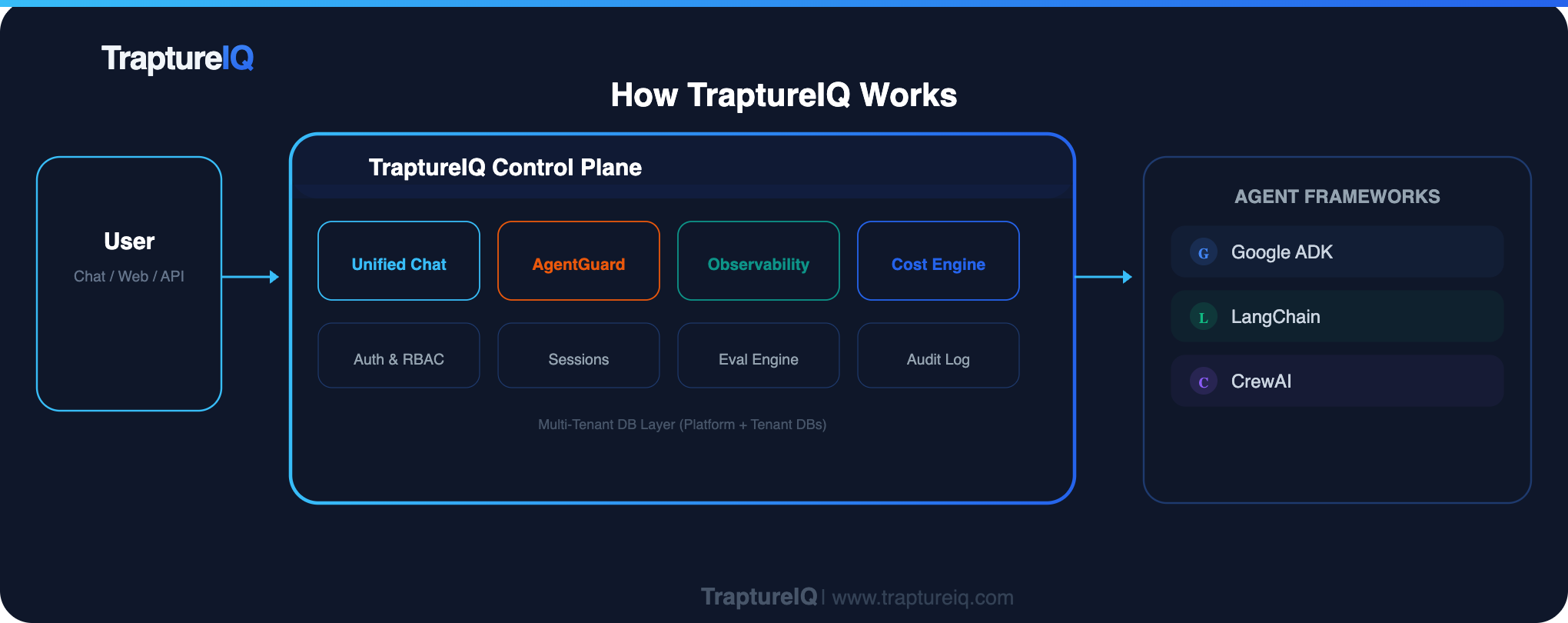
How to Use This Documentation
If you're brand new to TraptureIQ, start here and follow the path below:
Quick Glossary
New to the platform? Here are the most important terms:
| Term | Meaning |
|---|---|
| Tenant | Your private, isolated workspace in TraptureIQ. Think of it as your team's account. |
| Agent | An AI service (chatbot, assistant, etc.) that you've built and deployed elsewhere. You register it in TraptureIQ to manage it. |
| Framework | The technology your agent is built with. TraptureIQ currently supports Google ADK. |
| Tenant Admin | A user with full control over the workspace — can manage agents, users, billing, and security. |
| Tenant User | A standard user who can chat with agents and use modules that an admin has enabled for them. |
| Section | A module or feature area in the platform (e.g., Chat, Traces, Logs, Eval). |
| RBAC | Role-Based Access Control — the system that determines who can access what. |