Permission Matrix — Tenant-Wide Default Permissions
Access: Tenant Admins only
The Permission Matrix gives you a bird's-eye view of all platform sections and their default access settings. Use it to configure what new users get by default when they join your workspace.
What is the Permission Matrix?
When you invite a new Tenant User, their section access is initialized based on tenant-wide defaults. The Permission Matrix is where you configure these defaults.
Why it matters:
- Without defaults, you'd have to manually configure every section for every new user
- Good defaults save time and ensure consistency
- You can always override defaults for individual users later
How to Access the Permission Matrix
Navigate to Access Management → Permission Matrix tab.
What You'll See
The matrix displays all 13 platform sections in a table:
| Section | Type | Configurable? | What It Means |
|---|---|---|---|
| Access Management | Admin only | No | Only Tenant Admins can access. Cannot be toggled for users. |
| Agents | Configurable | Yes | Can be enabled/disabled per user. New users get the default setting. |
| Traces | Configurable | Yes | Same as above |
| Logs | Configurable | Yes | Same as above |
| Eval | Configurable | Yes | Same as above |
| Session | Configurable | Yes | Same as above |
| Prompts | Configurable | Yes | Same as above |
| Analytics | Admin only | No | Only Tenant Admins can access |
| Cost Control | Admin only | No | Only Tenant Admins can access |
| Intelligence | Always accessible | No | All users can access — no toggle needed |
| Analyser | Always accessible | No | All users can access — no toggle needed |
| AgentGuard | Admin only | No | Only Tenant Admins can access |
| MCP Debug | Configurable | Yes | Can be enabled/disabled per user |
Configuring Defaults
For each configurable section, you can set two properties:
| Property | What It Does |
|---|---|
| Configurable | Whether the section can be toggled per user (this is set at the global level and typically doesn't change) |
| Default Allowed | Whether the section is enabled by default for newly invited Tenant Users |
How to change defaults:
- Find the configurable section in the matrix.
- Toggle the Default Allowed setting.
- The change applies to new users only — existing users' settings are not affected.
How It Differs from Section Access
These two features work together but serve different purposes:
| Feature | Permission Matrix | Section Access |
|---|---|---|
| What it configures | Tenant-wide defaults | Per-user overrides |
| Who it affects | New users joining the workspace | Individual existing users |
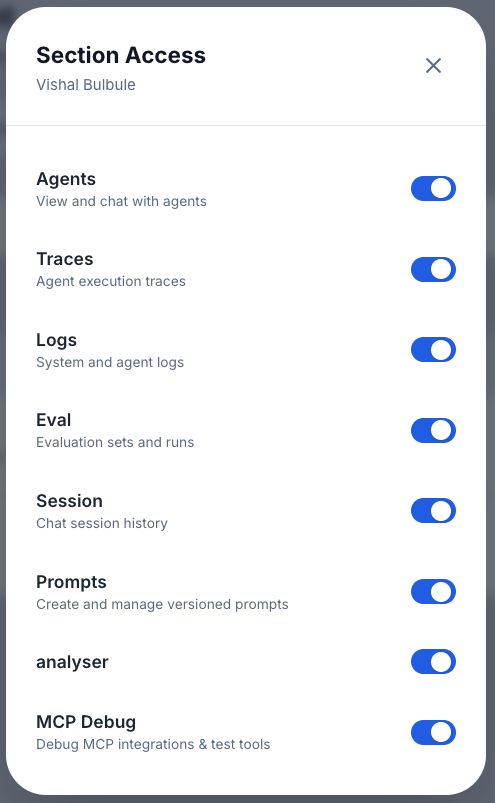
| Where to find it | Access Management → Permission Matrix | Access Management → User row → Slider icon |
| Admin-only sections | Shown (read-only, for reference) | Not shown (cannot be toggled for users) |
Recommended workflow:
- First, set your Permission Matrix defaults to match what most users need.
- Then, invite users — they'll get the defaults automatically.
- Finally, fine-tune individual users' access via Section-Level Access if needed.
Example Default Configurations
"Give everyone full access by default"
Enable Default Allowed for all configurable sections (Agents, Traces, Logs, Eval, Session, Prompts, MCP Debug).
"Minimal access by default, add as needed"
Enable only Agents by default. Add other sections per user as they request them.
"Developer-focused defaults"
Enable Agents, Traces, Logs, Eval, and MCP Debug by default. Leave Prompts and Session disabled.
Tips for Beginners
- Set defaults before bulk inviting — If you're about to invite many users, configure the Permission Matrix first. It saves you from configuring each user individually.
- Defaults don't retroactively change — Changing a default only affects future invites. Existing users keep their current settings.
- Admin-only sections are read-only — You can see them in the matrix for reference, but they can't be toggled for Tenant Users.