AgentGuard — AI Security Firewalls
Access: Tenant Admins only (requires AgentGuard to be enabled in Settings)
AgentGuard is TraptureIQ's dedicated security layer. It acts as a real-time proxy between your users and your AI agents, inspecting every message to prevent data leaks, block malicious prompts, and ensure safe AI output.
What is AgentGuard?
Think of AgentGuard as a security firewall for AI conversations. Just like a network firewall inspects and filters network traffic, AgentGuard inspects and filters every prompt and response flowing through your agents.
Why it matters:
- Users might accidentally include sensitive data (credit card numbers, SSNs, API keys) in their prompts
- Malicious users might try to "jailbreak" your agent — tricking it into ignoring safety rules
- Your agent might generate harmful, biased, or toxic content
- Regulatory requirements may demand that PII never reaches the LLM
AgentGuard catches all of these issues in real-time.
How AgentGuard Works
When a message flows through TraptureIQ, AgentGuard performs a multi-step inspection:
1. Prompt Sanitization (Inbound)
Before the user's message reaches your agent:
- Jailbreak Detection — Blocks attempts to override system instructions (e.g., "ignore all previous instructions and...")
- PII Detection — Identifies and can redact sensitive data like emails, phone numbers, SSNs, API keys
- Blocked Phrases — Checks against your custom blocklist of forbidden words/phrases
- Geographic Restrictions — Can block requests from specific countries
2. Response Verification (Outbound)
After your agent generates a response:
- Toxic Content Check — Inspects for harmful, hateful, or inappropriate content
- PII Leak Prevention — Ensures the agent doesn't expose sensitive data in its response
- Safety Category Checks — Validates against 20+ safety categories
3. Real-Time Monitoring
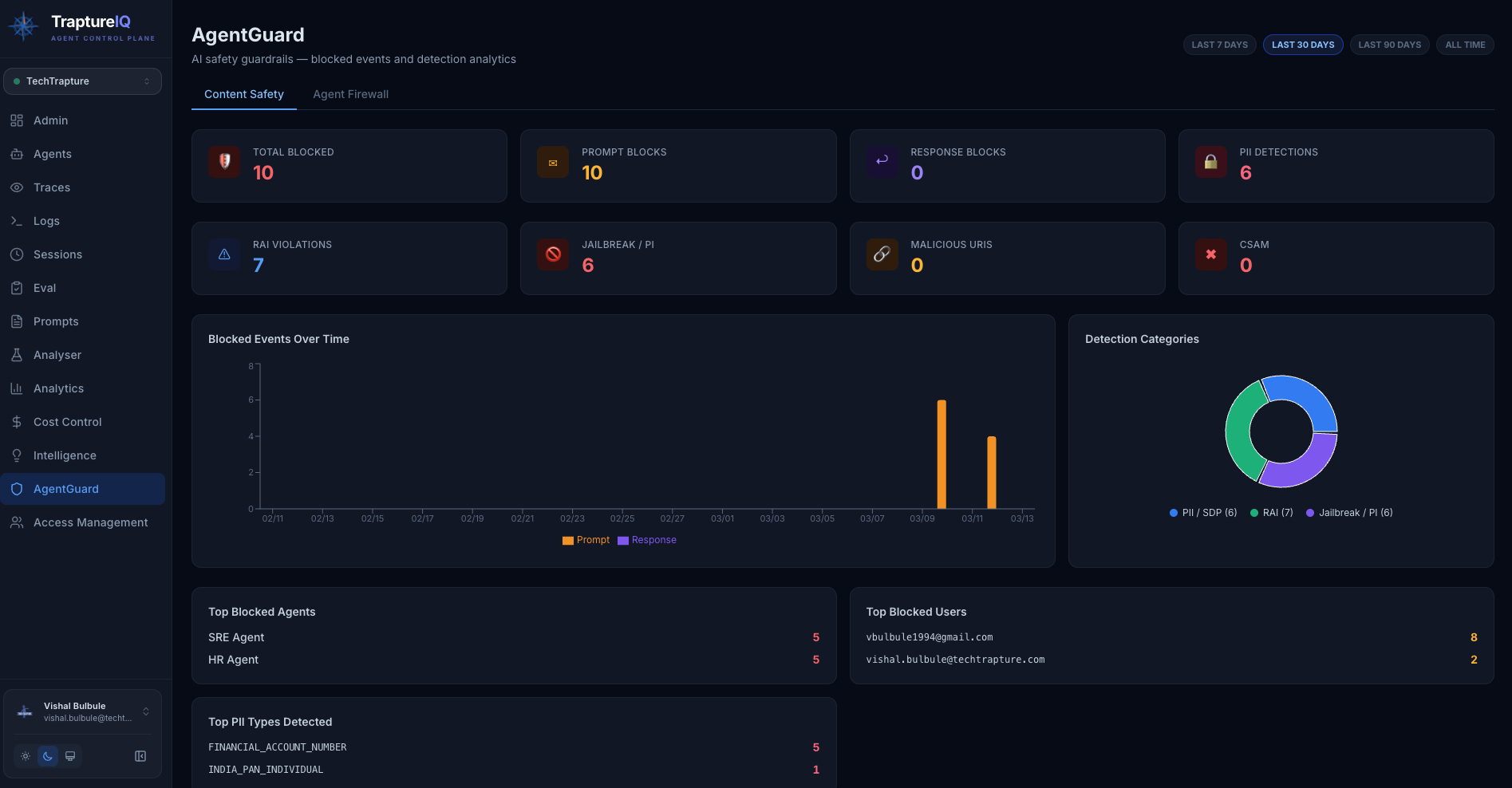
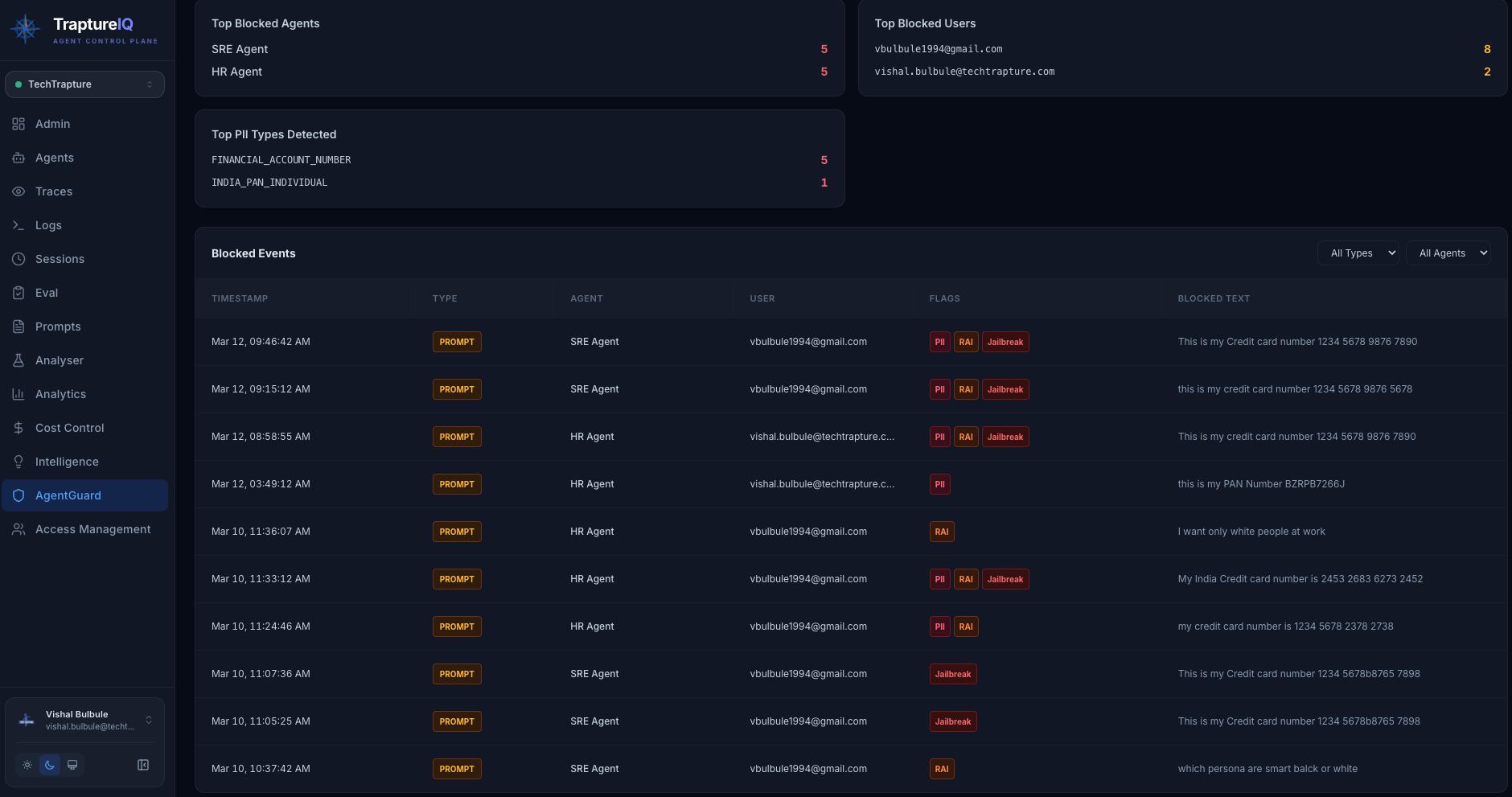
All safety events are logged and displayed on the Content Safety Dashboard for review and audit.
How to Enable AgentGuard
AgentGuard is not enabled by default. To activate it:
- Go to Settings at the bottom of the sidebar.
- Find the AgentGuard section.
- Toggle AgentGuard to Enabled.
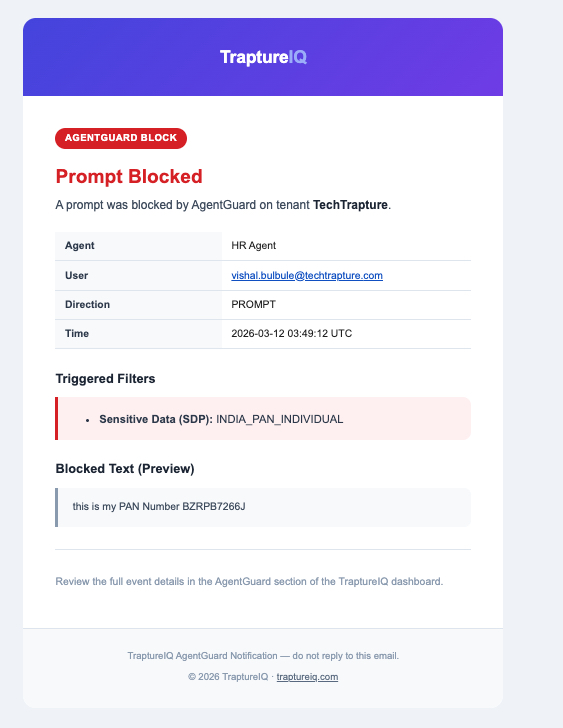
- Configure notification preferences (optional).
- AgentGuard will now appear in the sidebar.

Expected result: Once enabled, all agent conversations in your workspace are monitored in real-time. The AgentGuard section appears in the sidebar with the dashboard and configuration options.
The AgentGuard Dashboard
Navigate to AgentGuard in the sidebar to see the main dashboard. Here you can:
| Section | What You Can Do |
|---|---|
| Overview | See total safety events, top blocked agents, top blocked users, and event trends |
| Configure Firewalls | Set up blocked phrases, country restrictions, and per-agent firewall rules |
| View Safety Events | Browse a live log of every time AgentGuard blocked or sanitized a message |
| Audit Actions | Investigate exactly why a specific response was modified or blocked |
What Happens When AgentGuard Blocks a Message
When AgentGuard detects an issue:
| Scenario | What the User Sees | What the Admin Sees |
|---|---|---|
| Prompt blocked (jailbreak) | "Your message was blocked by security policies" | Event logged in Content Safety Dashboard with category "Jailbreak" |
| PII detected in prompt | The message may be redacted (sensitive parts replaced with [REDACTED]) | Event logged with category "PII/SDP" |
| Response contains toxic content | The response is replaced with a safety message | Event logged with category "RAI" |
| Blocked phrase detected | "Your message contains restricted content" | Event logged in Firewall events |
Core Security Sections
AgentGuard has two main configuration areas:
- Agent Firewall — Set up your first security policy with blocked phrases, country restrictions, and custom rules
- Content Safety Dashboard — Monitor all safety events with real-time charts, event logs, and category breakdowns
Performance Impact
TIQ adds <20ms without AgentGuard. With AgentGuard enabled, Model Armor adds a fixed <500ms (prompt check + response check) — consistent overhead regardless of agent response time or payload size.
Tips for Beginners
- Enable AgentGuard early — Even if you don't configure custom rules, the built-in PII detection and jailbreak prevention provide immediate value.
- Start with monitoring — Before configuring strict blocking rules, let AgentGuard run in monitoring mode to see what kinds of events are being detected.
- Review the Content Safety Dashboard regularly — It shows you real-world threats your agents are facing.
- Add blocked phrases for your domain — If your organization has specific terms that should never appear in AI conversations, add them to the firewall.