Platform Modules Guide
TraptureIQ is organized into dedicated modules that cover the entire lifecycle of an AI agent — from conversation and debugging to security and analytics. This page gives you an overview of every module, what it does, why it's important, and who can access it.
Demo Video
How Modules Are Organized
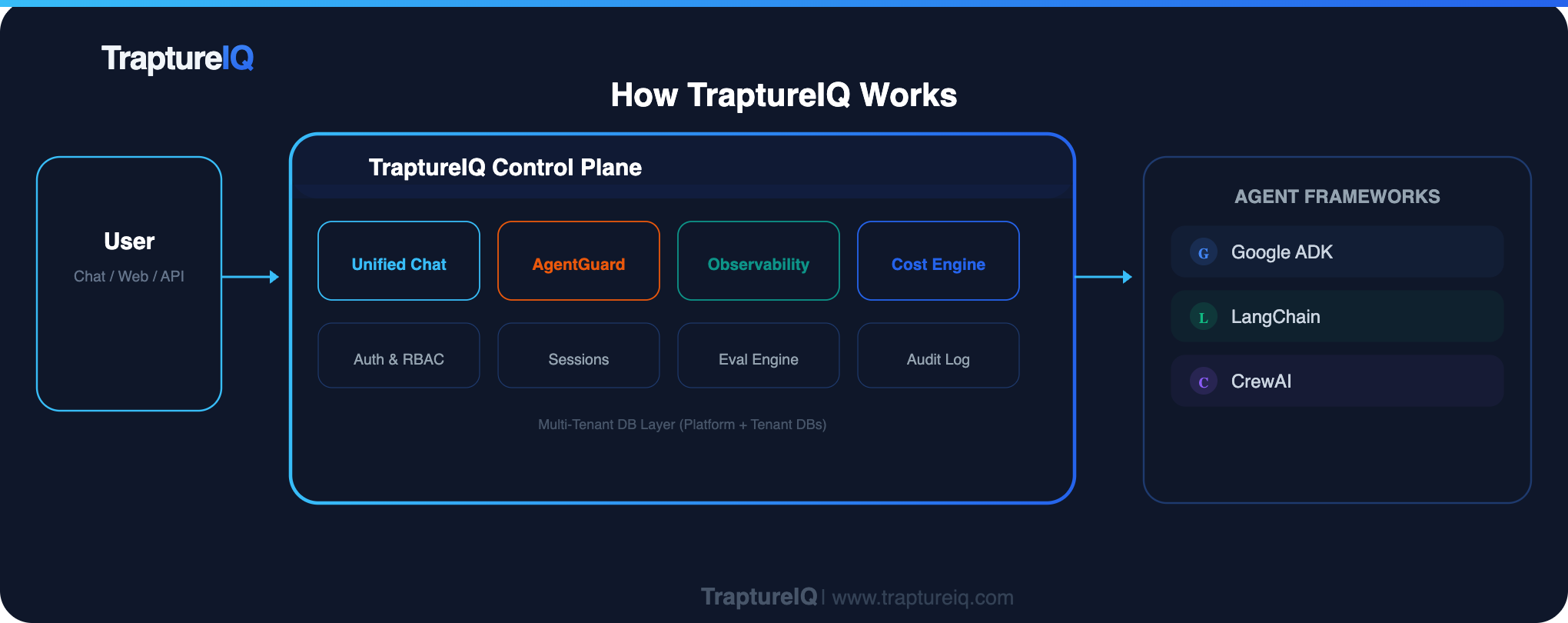
The platform modules are grouped into four categories:
- Core Modules — The everyday tools for chatting, debugging, and managing prompts
- Evaluation & Testing — Tools for measuring agent quality, security, and performance
- Analytics & Intelligence — Dashboards for understanding usage, costs, and agent behavior
- Security — Firewalls and content safety monitoring
Core Modules
| Module | What It Does | Why You Need It | Access |
|---|---|---|---|
| Chat | Enterprise-grade chat interface for talking to any registered agent. Real-time streaming, markdown rendering, session persistence. | This is where your team interacts with agents daily. One unified UI for all agents, regardless of framework. | All users (for assigned agents) |
| Session Dashboard | Historical view of all chat sessions with statistics, charts, and filtering by agent, user, or time range. | Review past conversations, track usage patterns, audit interactions, and understand how agents are being used across your team. | Configurable per user |
| Traces | Step-by-step visualization of agent internal reasoning with waterfall timelines, span details, and user journeys. | Debug agent issues — see exactly where an agent stalled, which tool was slow, or why it gave a wrong answer. The "X-Ray" for your agents. | Configurable per user |
| Logs | Centralized audit trail of every request and response, with severity levels, raw payloads, and CSV export. | Compliance auditing, error tracking, cost analysis, and maintaining a permanent record of all agent interactions. | Configurable per user |
| Prompts | Version-controlled prompt library with AI-powered quality analysis (Prompt Intelligence). Store, version, share, and improve system prompts. | Manage prompts centrally instead of hard-coding them. Track changes, compare versions, and get AI-powered improvement suggestions. | Configurable per user |
| Analyser | Token counting and cost estimation tool. Paste any text and see token counts across multiple LLM models with cost estimates. | Before deploying or sending a prompt, know exactly how many tokens it consumes and what it will cost across different models. | All users |
| MCP Debug | Test and debug Model Context Protocol integrations with 18 Google Cloud MCP servers. Browse tools, test responses, validate auth. | Validate MCP tool connections end-to-end before deploying agents that use them. No need to switch to a CLI or separate console. | Configurable per user |
Evaluation & Testing
These modules help you measure and improve your agents before deploying to production.
| Module | What It Does | Why You Need It | Access |
|---|---|---|---|
| Custom Evaluation | Build golden datasets (question + expected answer), run them against agents, and score responses using LLM-based metrics (coherence, fluency, groundedness, hallucinations). | Ensure your agents give correct, high-quality answers consistently. Catch regressions before users do. | Configurable per user |
| Security Evaluation | Stress-test agents against jailbreak attempts, data loss prevention (DLP), and responsible AI (RAI) violations using pre-built attack templates. | Find out if your agent can be tricked into leaking data or ignoring safety rules before an attacker does. | Configurable per user |
| Load Testing | Simulate concurrent users sending messages simultaneously to test agent infrastructure under high traffic. | Know if your agent can handle production-level load without crashing, slowing down, or hitting rate limits. | Configurable per user |
Analytics & Intelligence
These modules give admins visibility into how the platform is being used and what it costs.
| Module | What It Does | Why You Need It | Access |
|---|---|---|---|
| Usage Dashboard | Request volume, session counts, average latency, error rates, tool usage, and agent performance breakdowns over time. | Understand usage patterns — which agents are most popular, when peak usage occurs, and where errors are happening. | Admin only |
| Cost Control | Token usage and estimated LLM costs per agent, user, and session. Input/output/thinking token breakdowns. | Track and optimize your AI spending. Identify expensive agents or users and make data-driven cost decisions. | Admin only |
| Agent Intelligence | Agent reasoning patterns — LLM call frequency, thinking token distribution, tool invocation analysis, and efficiency metrics. | Understand how your agents think internally. Are they reasoning efficiently? Using tools appropriately? Wasting tokens on unnecessary thinking? | All users |
Security
Protect your agents and users from data leaks, malicious prompts, and unsafe content.
| Module | What It Does | Why You Need It | Access |
|---|---|---|---|
| AgentGuard Overview | Real-time security layer that intercepts every prompt and response to prevent data leaks, block jailbreaks, and filter unsafe content. | Protect your organization from sensitive data exposure, prompt injection attacks, and harmful AI output. | Admin only |
| Agent Firewall | Configure rules to block specific phrases, restrict access by country, and create custom firewall policies per agent. | Proactively block known attack patterns, restrict geographic access, and enforce organization-specific content policies. | Admin only |
| Content Safety Dashboard | Monitor safety events (PII, jailbreak, RAI violations) with real-time charts, event logs, and category breakdowns. | Know when and how often safety rules are triggered, which agents are most at risk, and what types of threats are being detected. | Admin only |
Understanding Access Control for Modules
Access to these modules is governed by Section-Level RBAC:
- Tenant Admins can see and use all modules without restriction.
- Tenant Users see only the modules their admin has enabled for them via Section-Level Access.
- Admin-only modules (Analytics, Cost Control, AgentGuard, Access Management, Admin Dashboard) cannot be enabled for Tenant Users.
- Always-accessible modules (Analyser, Intelligence) are visible to every user regardless of role or configuration.
If you can't see a module you need, ask your Tenant Admin to enable it for you.