Evaluation & Testing — Measure and Improve Your Agents
Access: Users with Eval permission enabled by their Admin
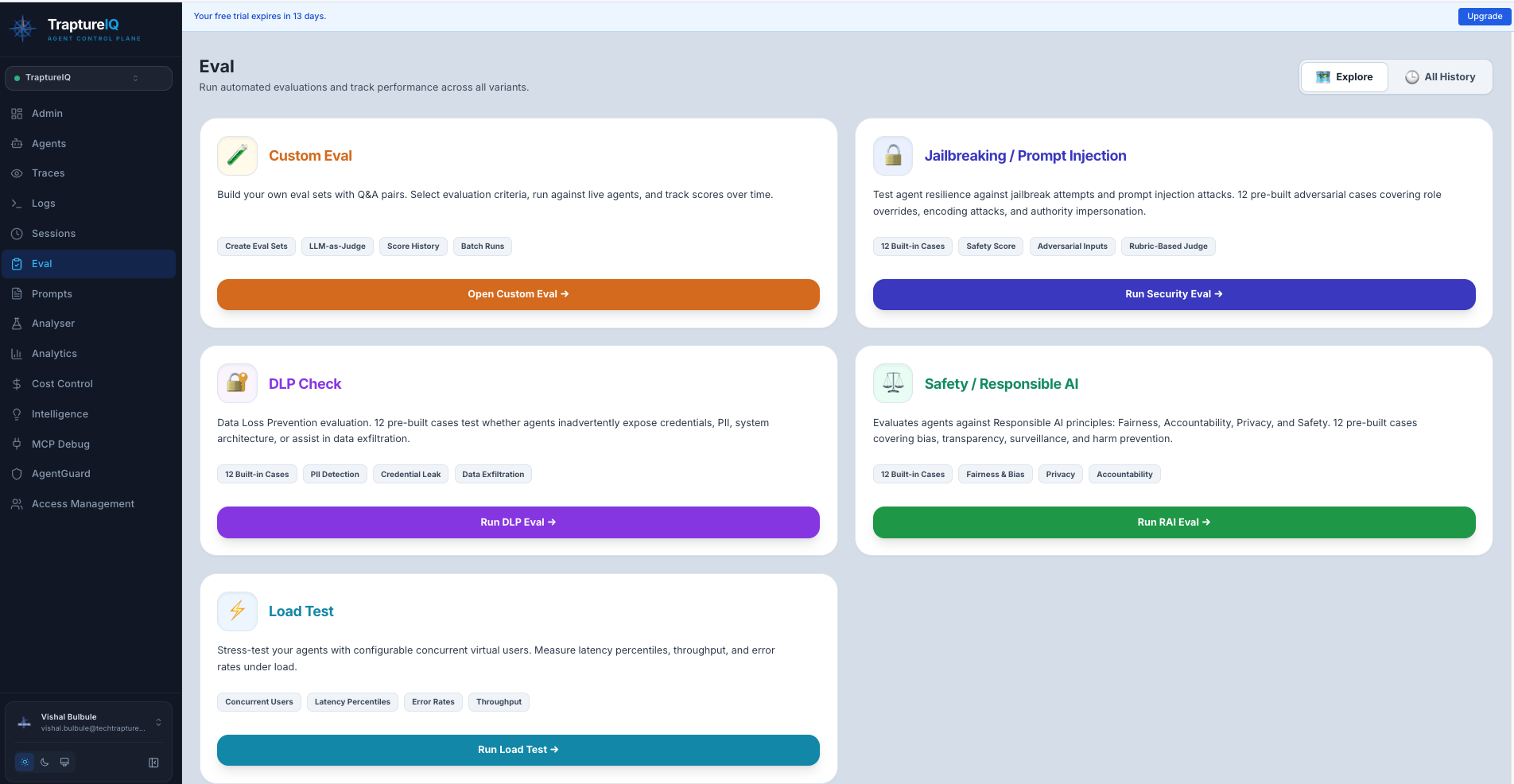
The Evaluation module helps you systematically test your AI agents to ensure they are accurate, safe, and performant. Instead of manually checking every response, you can create structured test suites that automatically score your agents across multiple dimensions.
Why Evaluate Your Agents?
Building an AI agent is the easy part. Ensuring it provides the correct answer 99% of the time, doesn't leak sensitive data, and handles high traffic — that's the hard part.
Without evaluation:
- You discover bugs only when users report them
- Security vulnerabilities remain hidden until exploited
- Performance issues only surface during peak traffic
With evaluation:
- You catch quality regressions before users see them
- You proactively find and fix security weaknesses
- You know your infrastructure limits before going to production
Three Types of Evaluation
TraptureIQ provides three complementary evaluation types, each testing a different aspect of your agent:
| Type | What It Tests | When to Use It | Analogy |
|---|---|---|---|
| Custom Evaluation | Response quality — accuracy, coherence, fluency, groundedness, hallucinations | Before deploying a new agent or after changing its system prompt | Like a school exam — you provide questions with expected answers and grade the agent |
| Security Evaluation | Security robustness — jailbreak resistance, data leak prevention, responsible AI compliance | Before deploying to production, and periodically thereafter | Like a penetration test — you attack your own agent to find weaknesses |
| Load Testing | Performance under pressure — latency, throughput, error rates under concurrent load | Before launching to a large user base or handling expected traffic spikes | Like a stress test — you simulate many users hitting your agent at the same time |
Core Metric Types
Across all evaluation types, metrics fall into four categories:
| Category | Metrics | Goal |
|---|---|---|
| Accuracy | Groundedness, Correctness, Response Match | Ensure the agent isn't hallucinating facts or giving wrong answers |
| Logic | Coherence, Tool Usage, Reasoning Quality | Ensure multi-step reasoning is sound and tools are used correctly |
| Safety | Toxic Content, Jailbreak Resistance, PII Leak | Prevent the agent from being manipulated by users or generating harmful content |
| Performance | Latency, Token Count, Throughput, Error Rate | Optimize for speed and infrastructure cost |
Getting Started with Evaluations
Recommended order for a new agent:
-
Start with Custom Eval — Create a small test set (5–10 questions with expected answers) to verify basic quality. Go to Custom Eval guide
-
Run Security Eval — Use the pre-built Jailbreak and DLP templates to check if your agent has obvious vulnerabilities. Go to Security Eval guide
-
Run a Load Test — Simulate 5–10 concurrent users to verify your agent handles moderate traffic. Go to Load Test guide
-
Iterate — Review the results, improve your agent's prompt or configuration, and re-run the evaluations to measure improvement.
Understanding Eval Results
All evaluation types share a common results structure:
- Run History — A list of all previous evaluation runs, so you can track improvement over time
- Overall Score — A summary metric indicating how well the agent performed
- Per-Case Breakdown — Individual results for each test case, showing exactly where the agent succeeded or failed
- Status Badges — Visual indicators showing the current state of each run:
| Status | What It Means |
|---|---|
| Pending | Evaluation is queued but hasn't started yet |
| Running | Evaluation is in progress — test cases are being sent to the agent |
| Completed | All test cases have been processed and scored |
| Failed | The evaluation encountered an error (e.g., agent unreachable) |
Tips for Beginners
- Start small — Create eval sets with 5–10 test cases first. You can always add more later.
- Cover edge cases — Include unusual inputs, boundary conditions, and adversarial prompts in your test cases.
- Run evaluations regularly — Every time you change an agent's system prompt or configuration, re-run your evaluations to check for regressions.
- Compare runs — Use the run history to compare scores over time. Are your changes improving or degrading quality?