Agent Intelligence — LLM & Tool Behaviour
Access: Tenant Admins only
Agent Intelligence is part of the Analytics dashboard. It focuses on the internal activity of your agents — how many LLM calls they make, which tools they invoke, and where errors come from.
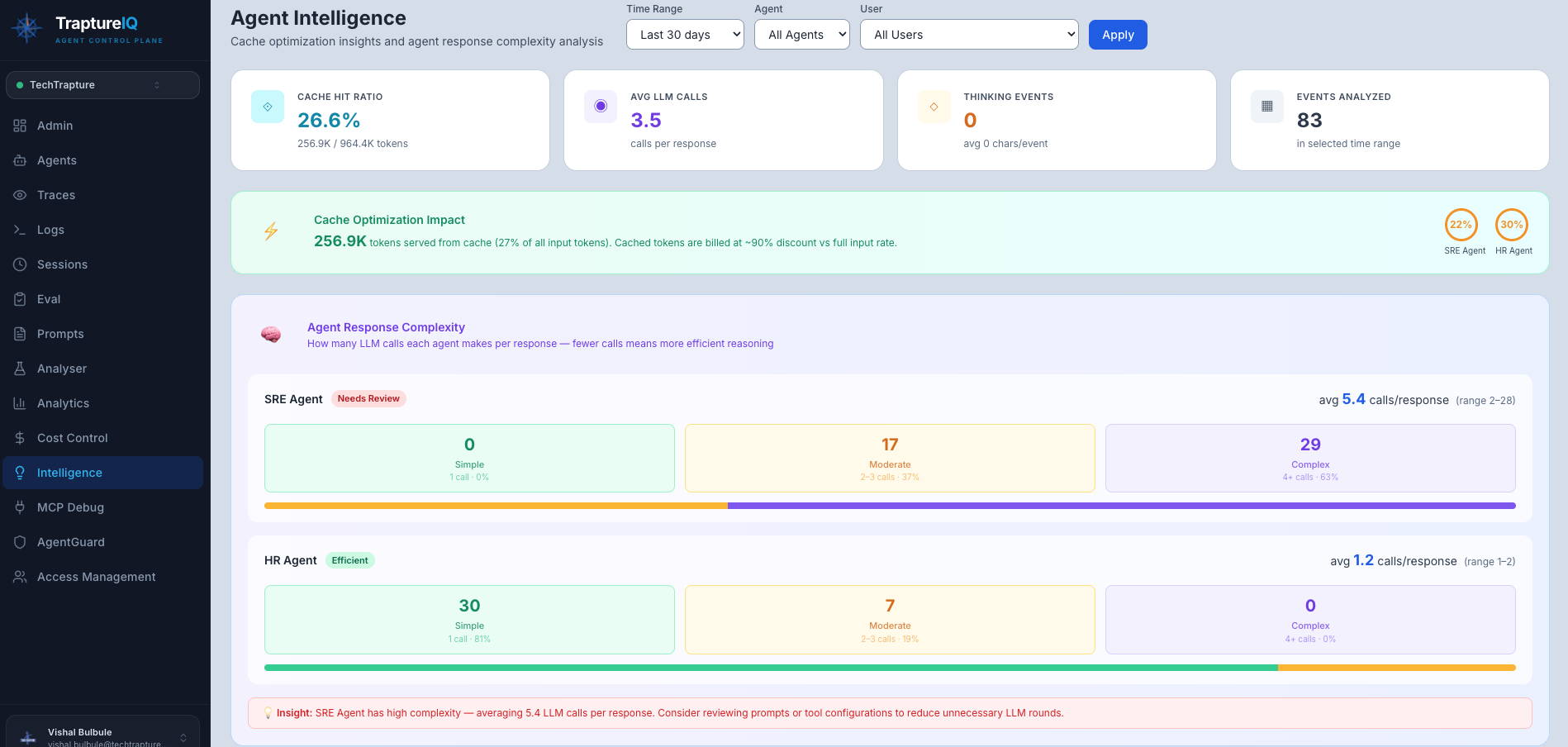
Key Metrics to Watch
| Metric | Where to Find It | What to Look For |
|---|---|---|
| Total LLM Calls | Row 2 stat card | High count vs requests = multi-step reasoning or loops |
| LLM calls / response avg | Below Total LLM Calls card | Above 5 calls/response = agent may be looping |
| Tool Calls | Row 2 stat card | Low count for tool-enabled agents may mean hallucination |
| Tool Error Rate | Row 2 stat card | Should be 0% — any errors need investigation |
| Top Models | Top lists panel | Confirms which LLM model your agents are using |
| Top Tools | Top lists panel | Shows which tools are most relied upon |
Daily LLM & Tool Activity Chart
The grouped bar chart compares LLM calls vs Tool calls per day.
Healthy pattern: Tool calls should track proportionally with LLM calls — if LLM calls spike but tool calls stay flat, the agent may be reasoning in circles without grounding its answers in real data.
Error Breakdown Chart
Shows errors grouped by type with percentage share:
| Error Type | Common Cause |
|---|---|
| AgentGuard Blocked | AgentGuard blocked the prompt or response |
| 429 | Rate limit hit on the LLM provider |
| Unknown | Unhandled exceptions — check Traces for the stack trace |
Warning Signs
| Pattern | What It May Indicate | Action |
|---|---|---|
| LLM calls / response > 5 | Agent is looping or over-reasoning | Review system prompt, add conciseness instructions |
| Tool Error Rate > 0% | Tool integration broken | Check tool configuration and credentials |
| AgentGuard blocks dominating | AgentGuard blocking legitimate messages | Review AgentGuard settings in Content Safety |
| Error rate ≥ 5% on an agent | Systematic failure | Sort Agent Performance table by Error Rate and check Traces |
Common Use Cases
| Scenario | What to Do |
|---|---|
| "My agent seems slow" | Check Avg Latency card and sort Agent Performance by Avg Latency |
| "My agent isn't using its tools" | Check Tool Calls count and Top Tools — if blank, tool config may be wrong |
| "Lots of AgentGuard blocks" | Go to AgentGuard → Content Safety to review what's being blocked |
| "I want to compare two agents" | Filter by each agent separately and compare LLM call counts and error rates |